Expense Tracker

Effort tracker for every project

What did that project really cost?

Expense Tracker adds up money, time, material, mileage and energy for each project – and with your hourly rate shows the true cost. For the renovation, the wedding or the car, and for client jobs.

Download on the App Store Get it on Google Play
  • No ads
  • No account
  • Data stays on your phone

Free for one project · Pro for unlimited projects

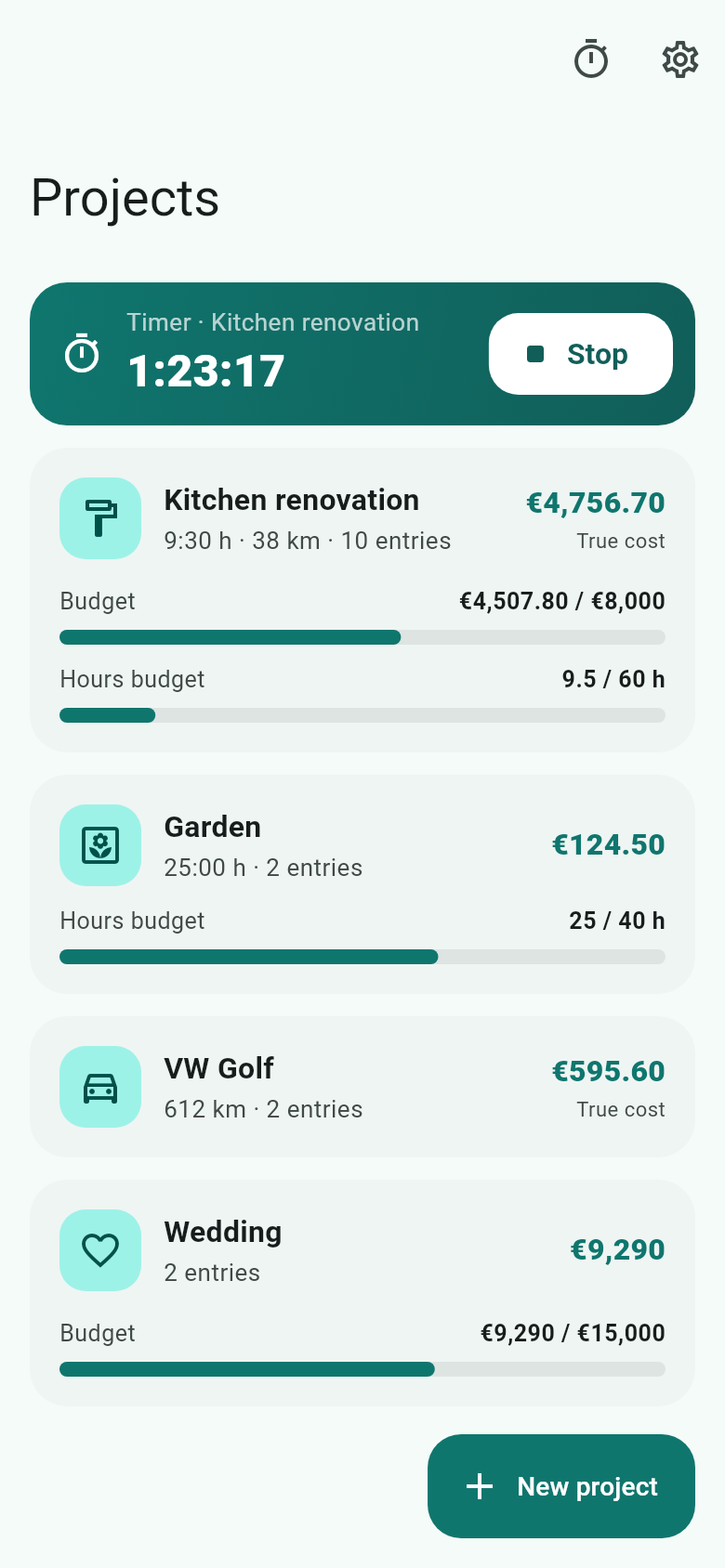
Project list with the true cost and budget progress of each project and a running timer
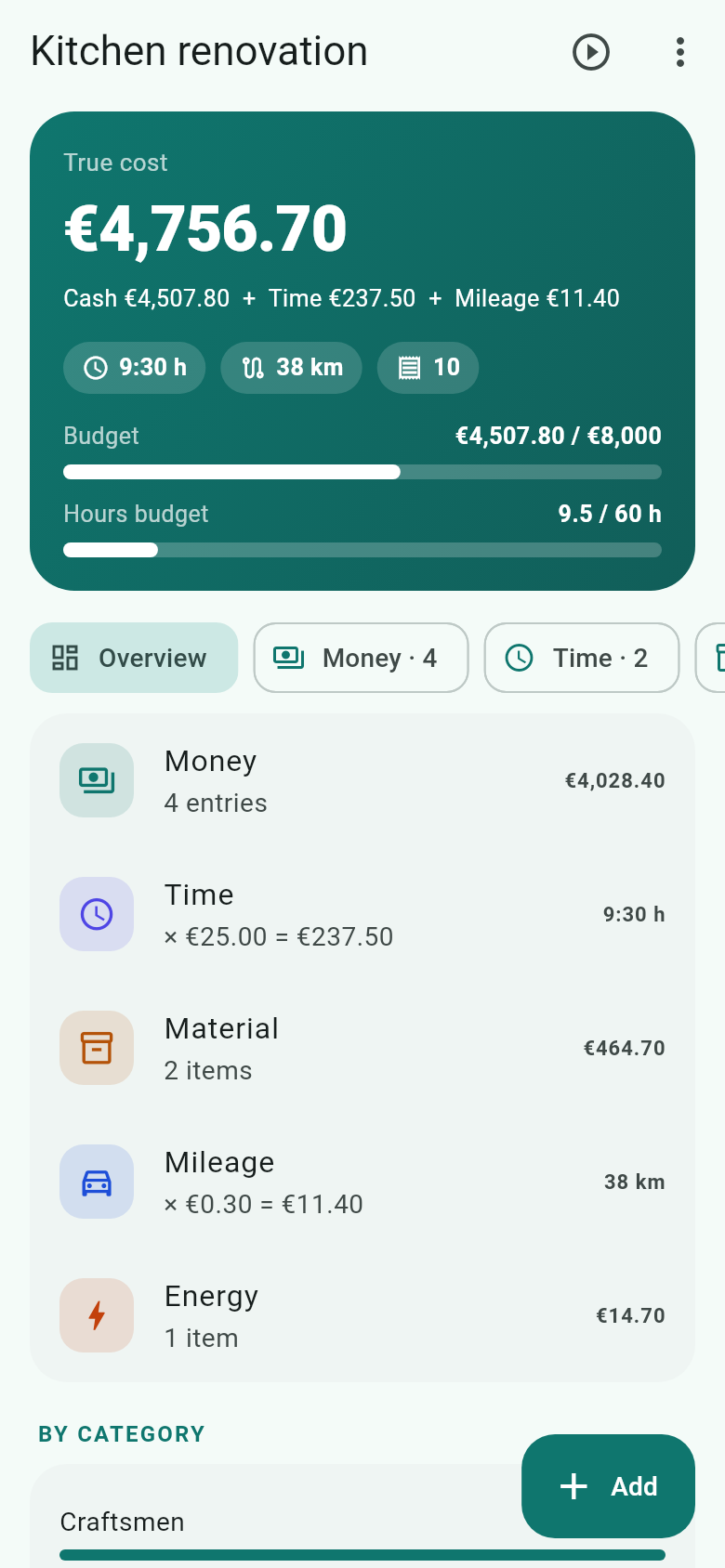
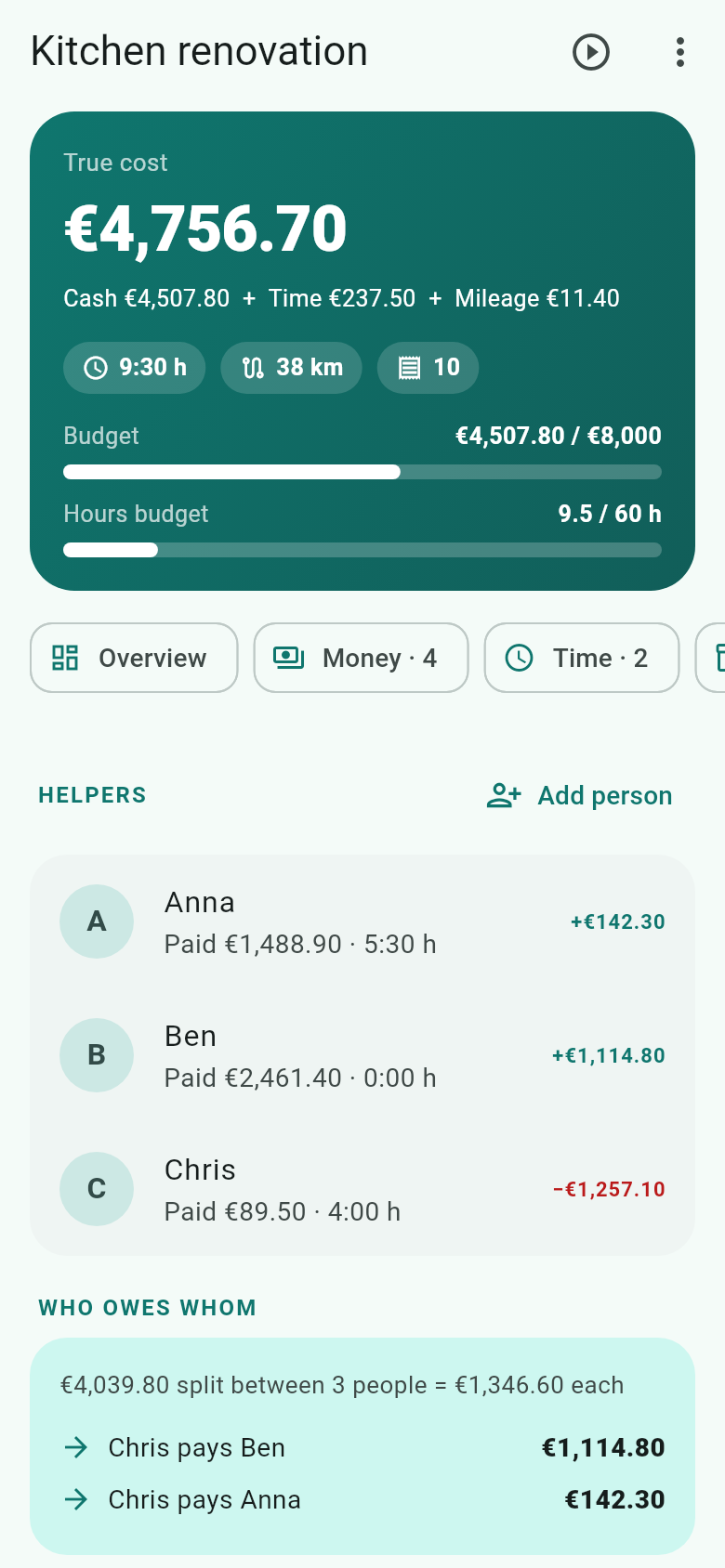
Project summary showing the true cost: money plus time value plus mileage

Every kind of effort, in one project

Not just money. Everything a project takes from you.

  • Money

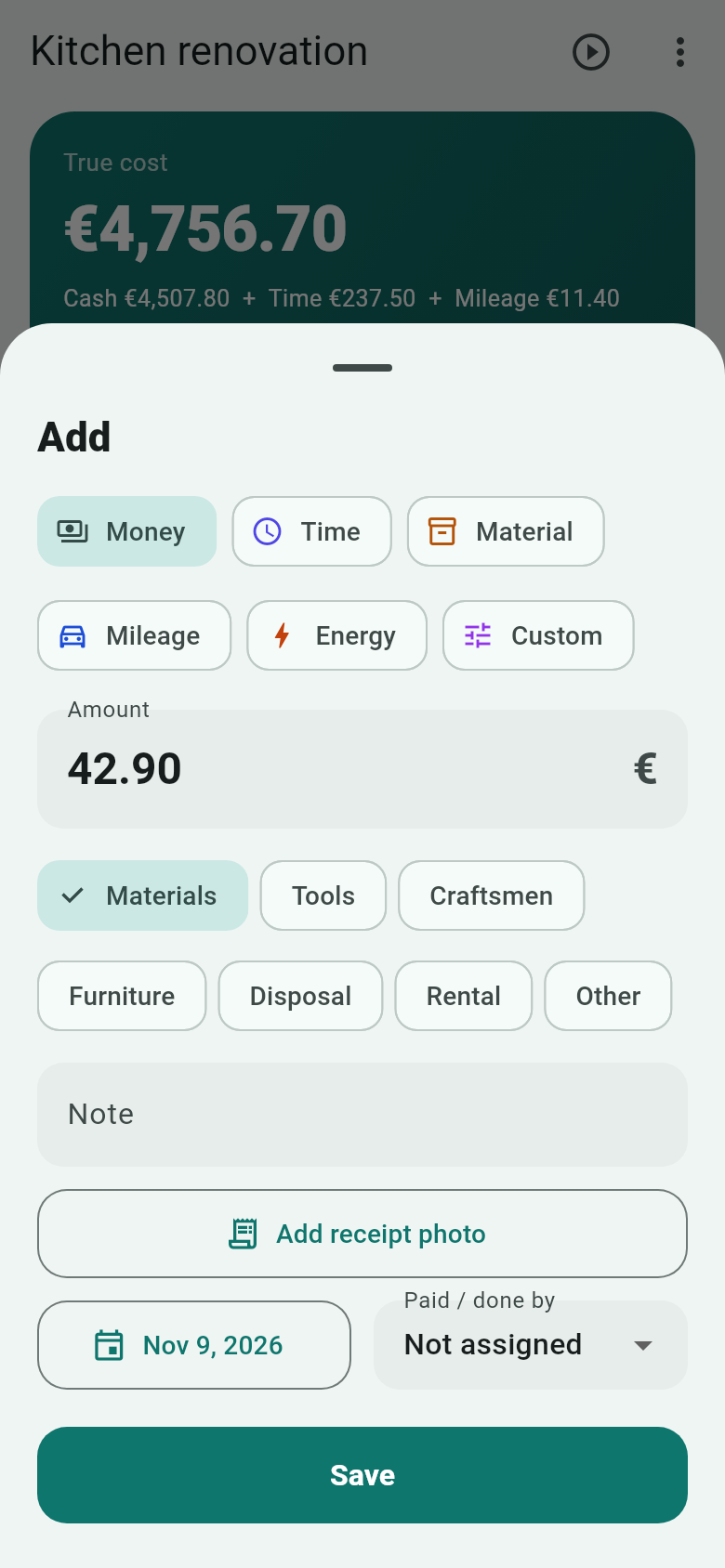
    Amount, category, date, note – optional receipt photo

  • Time

    Start/stop timer or add hours later

  • Material

    Materials and quantities

  • Mileage

    Trips in km or miles, depending on your region

  • Energy

    Electricity, fuel, water

  • Your own

    Custom kinds with your own unit – litres, runs, visits

  • Helpers

    Who contributed time or money – and who owes whom

True cost Pro

Money plus your time. The real number.

Set an hourly rate per project and Expense Tracker adds the value of your hours – and a mileage allowance – to what you spent. That is what a project really cost.

  • Budget and goal per project – in money and/or hours
  • A warning before the budget runs out
  • Breakdown into money, time value and mileage

Timer

Start. Stop. Done.

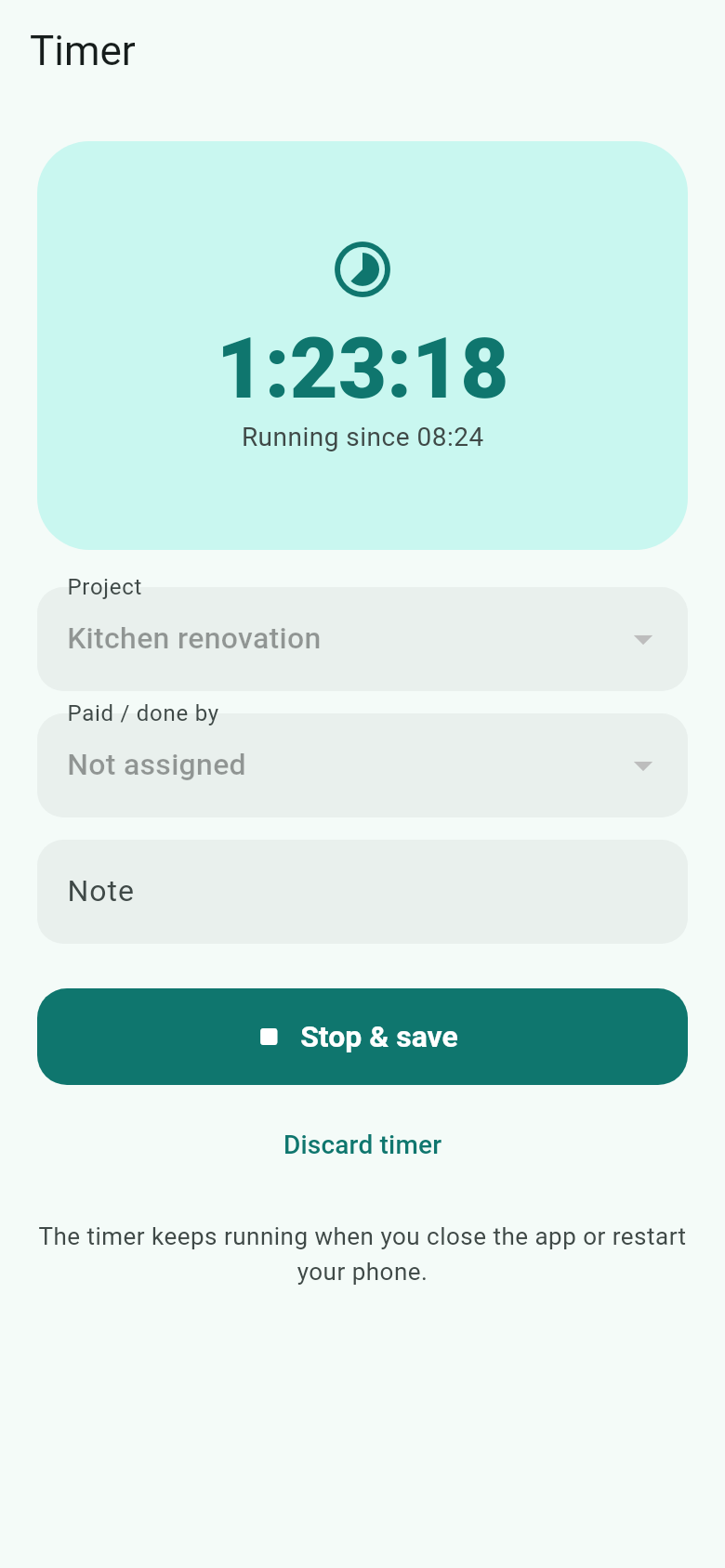
Start the timer when you start working. It keeps running in the background with a notification – and forgotten hours can be added by hand.

Receipts Pro

Snap the receipt with the expense.

Log an expense in seconds and attach a photo of the receipt. It is stored on your phone – not in a cloud.

Helpers & settlement Pro

Who paid what – and who owes whom.

Friends, family or your crew: record who paid how much and who put in how many hours. Expense Tracker works out the settlement.

PDF report & invoice Pro

Hours, material, trips – on one PDF.

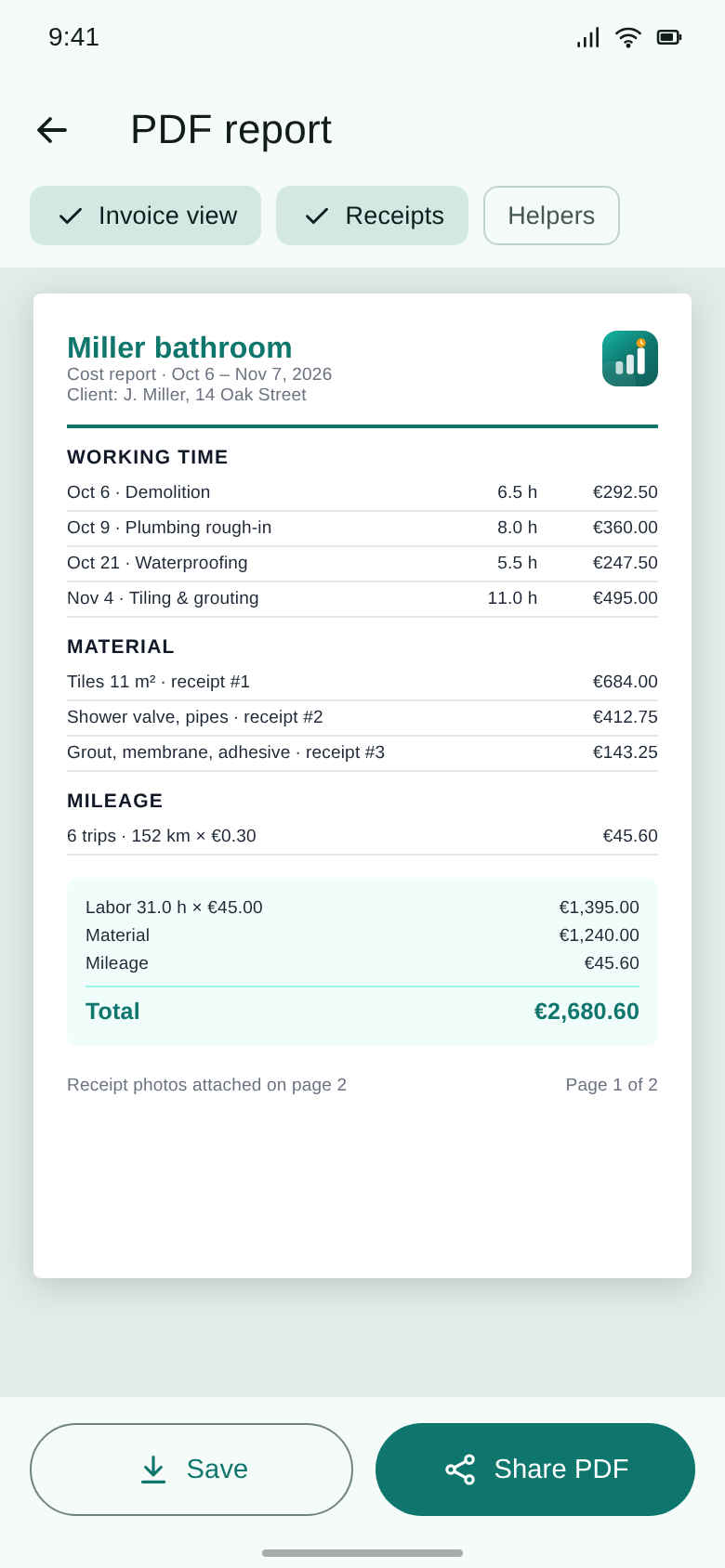
For freelancers and tradespeople: hours × rate, material and mileage on one clean PDF, ready to share with your client. Just as useful to document a private project.

And everything around it

Project templates

Start new projects from a template instead of from scratch.

Home-screen widget

Your projects at a glance, right on the home screen.

CSV export & JSON backup

Open your data in a spreadsheet, back everything up to a file you keep.

Your currency & units

Set automatically from your region, changeable per project. 9 currencies.

Budget warnings

Set a budget in money and/or hours and get warned in time.

16 languages

From English and German to Japanese, Hindi and Vietnamese.

Made for projects – private or paid

Private projects

Renovation, wedding, car, garden: see what it really cost – including all the weekends you put in.

  • Budget with a warning
  • Helpers and who owes whom
  • All receipts in one place

Freelancers & tradespeople

Track the hours of every client job, add material and trips, and hand over a PDF report or invoice.

  • Hourly rate per project
  • Timer running in the background
  • PDF report or invoice

How it works

Three steps, no sign-up.

  1. 1

    Create a project

    Name it, pick a template and set a budget or an hour goal if you like.

  2. 2

    Track as you go

    The timer for hours, quick entries for expenses, material, trips and energy – with a receipt photo.

  3. 3

    See the true cost

    Money plus time value plus mileage at a glance. Share a PDF or export a CSV.

Free to start. Pro when you need more.

No ads – not in the free version, not in Pro.

Free

For your first project

  • 1 project
  • All effort kinds
  • Timer
  • Budget & goals
  • CSV export & JSON backup
  • One basic template

Pro

Monthly or yearly subscription

Everything in Free, plus:

  • Unlimited projects
  • PDF report & invoice
  • Receipt photos
  • Hourly rate & helpers
  • Home-screen widget
  • All templates

The price is shown in the App Store or Google Play. Cancel anytime in your store account.

Your projects stay on your phone

No account, no cloud, no ads. Backups are files that you export yourself.

  • No sign-up – open the app and start
  • Entries and receipt photos are stored on the device only
  • Back up and switch phones via file export
  • Push notifications are opt-in: only a device token, platform, language and time zone are sent

Questions & answers

How is this different from a budget app?

A budget app tracks your household month by month. Expense Tracker tracks projects – one renovation, one wedding, one client job – with time, material, mileage and helpers, not just money.

What does it cost?

Free for one project, with all effort kinds, the timer, budget and CSV/JSON export. Pro is a monthly or yearly subscription and unlocks unlimited projects, PDF reports, receipt photos, hourly rate & helpers, the widget and all templates. The price is shown in your app store.

Do I need an account?

No. There is no sign-up and no server that stores your projects.

Where is my data stored?

Only on your phone. To back up or move to a new phone, export a backup file and import it on the new device.

Can I bill my clients with it?

With Pro you create a PDF report or invoice with hours × hourly rate, material and mileage and share it with your client. Please check yourself whether it meets the formal invoicing rules in your country.

Does the timer keep running when I close the app?

Yes. The timer runs in the background and shows a notification while it is running.

Kilometres or miles? Which currency?

Both follow your device region automatically and can be changed per project. 9 currencies are available.

Are there ads?

No. Neither in the free version nor in Pro.

Which devices are supported?

Android phones and iPhone.
Know what your projects really cost.

Free download for Android and iPhone.

Download on the App Store Get it on Google Play